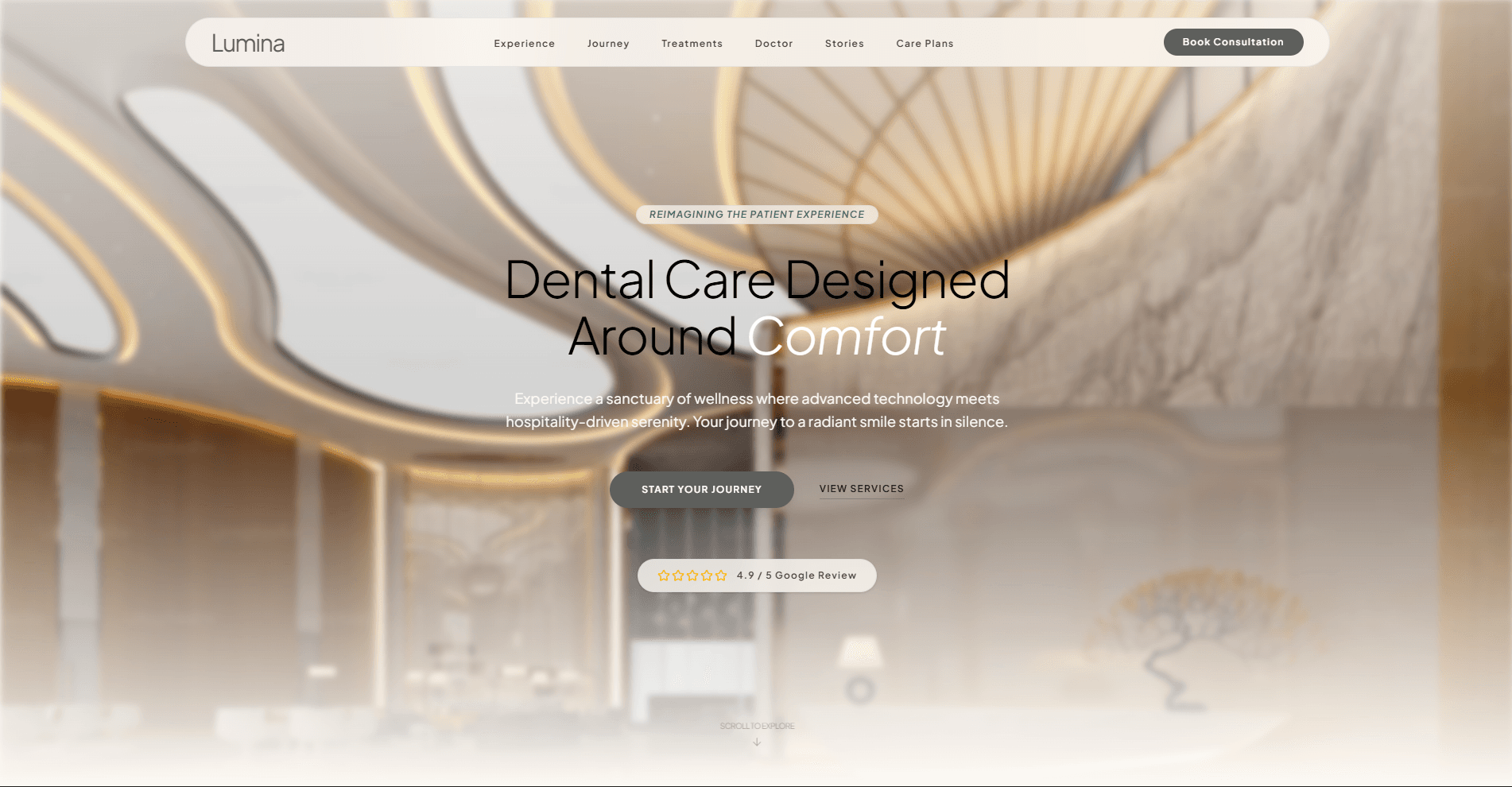
Lumina Dental
A modern, high-performance web application built with Next.js 16, React 19, and TypeScript. The site features optimized rendering with server-side generation, lazy-loaded components, and smooth animations.
Project Overview
Lumina is a single-page web application showcasing a dental practice. The project demonstrates modern web development practices including:
- Performance optimization: Dynamic imports, image optimization, and selective server-side rendering
- Type safety: Full TypeScript implementation with strict mode enabled
- Responsive design: Tailwind CSS-based responsive layouts
- Animation: Motion library for smooth page transitions and interactive elements
- Component architecture: Modular, reusable React components with clear separation of concerns
Tech Stack
| Technology | Version | Purpose |
|---|---|---|
| Next.js | 16.2.6 | Full-stack React framework with SSR/SSG |
| React | 19.2.4 | UI component library |
| TypeScript | ^5 | Static type checking |
| Tailwind CSS | ^4 | Utility-first CSS framework |
| Motion | 12.40.0 | Animation library |
| Lucide React | ^1.16.0 | Icon component library |
Project Structure
lumina-dental/
├── app/                    # Next.js App Router
│   ├── layout.tsx         # Root layout with metadata and providers
│   ├── page.tsx           # Home page with section composition
│   └── globals.css        # Global styles
├── components/
│   ├── layout/            # Layout components (Navbar, Footer)
│   ├── sections/          # Page sections (Hero, Experience, etc.)
│   ├── FadeIn.tsx        # Scroll-triggered fade-in animation
│   └── ScrollHintButton.tsx
├── data/                  # Static data (navigation, footer)
├── public/                # Static assets (images)
├── next.config.ts         # Next.js configuration
├── tsconfig.json          # TypeScript configuration
└── tailwind.config.ts     # Tailwind CSS configuration
Key Features
Performance Optimization
- Lazy-loaded sections: Below-fold content loads dynamically to improve initial page load
- Image optimization: Next.js Image component with remote image support from Google and Unsplash
- Above-the-fold rendering: Hero section renders without fade animation to optimize Largest Contentful Paint (LCP)
Component System
- Section-based architecture: Each page section is a self-contained component
- FadeIn wrapper: Custom animation component that triggers on scroll
- Modular layout: Navbar and Footer as reusable layout components
Styling
- Tailwind CSS: All styling uses utility classes for consistency and minimal CSS bundle
- Responsive design: Mobile-first approach with breakpoints for tablet and desktop
- Custom font: Plus Jakarta Sans loaded via Next.js font optimization
Getting Started
Prerequisites
- Node.js 18+ (compatible with Next.js 16)
- npm (or yarn/pnpm/bun)
Installation
# Clone the repository
git clone <repository-url>
cd lumina-dental

# Install dependencies
npm install
Development
Run the development server with hot-reload enabled:
npm run dev
Open http://localhost:3000 with your browser to see the result.
Building for Production
npm run build
npm start
The build step optimizes the application for production (SSR compilation, code splitting, minification).
Linting
npm run lint
Runs ESLint to check code quality and adherence to project conventions.
Code Examples
Adding a New Section Component
Create a new component in components/sections/:
// components/sections/NewSection.tsx
export default function NewSection() {
  return (
    <section id="new-section" className="py-32 bg-surface">
      <div className="container">
        <h2 className="text-headline-lg text-on-surface">Section Title</h2>
        {/* Content */}
      </div>
    </section>
  );
}
Import and add to app/page.tsx with fade-in wrapper if below the fold:
import NewSection from "@/components/sections/NewSection";

export default function Home() {
  return (
    <div className="flex flex-col">
      {/* ... existing sections ... */}
      <FadeIn>
        <NewSection />
      </FadeIn>
    </div>
  );
}
Using the FadeIn Animation
The FadeIn component triggers when the wrapped content enters the viewport:
import { FadeIn } from "@/components/FadeIn";

<FadeIn>
  <YourComponent />
</FadeIn>;
Adding External Images
The Next.js config allows images from specific domains:
import Image from "next/image";

<Image
  src="https://lh3.googleusercontent.com/your-image-id"
  alt="Description"
  fill
  className="object-cover"
/>;
To add a new image domain, update next.config.ts:
remotePatterns: [
  {
    protocol: "https",
    hostname: "new-domain.com",
  },
];
Available Scripts
| Script | Purpose |
|---|---|
npm run dev | Start development server with hot-reload |
npm run build | Compile for production |
npm start | Start production server |
npm run lint | Run ESLint checks |
Browser Support
- Modern browsers (Chrome, Firefox, Safari, Edge)
- ES2017+ JavaScript support required
Configuration Files
- next.config.ts — Next.js configuration (image optimization, remote patterns)
- tsconfig.json — TypeScript settings with path alias
@/*pointing to root - tailwind.config.ts — Tailwind CSS customization
- eslint.config.mjs — ESLint rules
Contributing
When contributing, follow these guidelines:
- Maintain TypeScript strict mode compliance
- Keep components focused and reusable
- Use Tailwind CSS utility classes for styling
- Follow the existing folder structure
- Test responsive design across breakpoints
- Run
npm run lintbefore committing
Support & Documentation
- Next.js Documentation
- React Documentation
- Tailwind CSS Documentation
- Motion Documentation
- Lucide React Icons
License
Refer to the LICENSE file in the repository for licensing details.